
Now Thats TV
Now Thats TV LLCEntertainment
3.61.14K Reviews
- Version
- Varies With Device
- Installs
- 500.00K
- Age Rating
- Teen
Screenshots
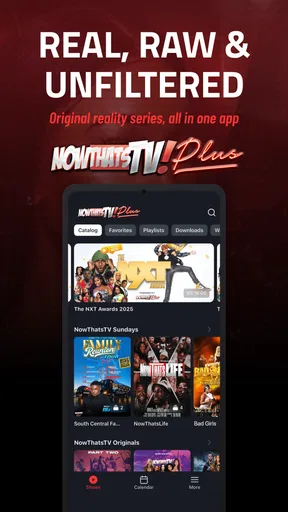
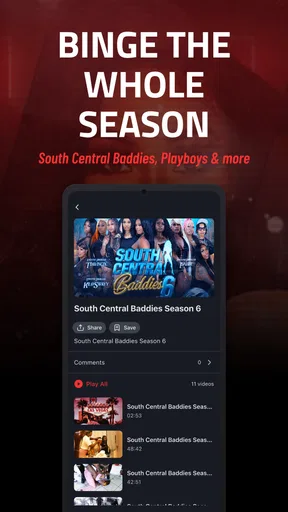
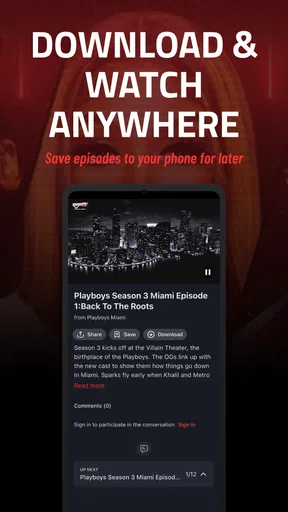
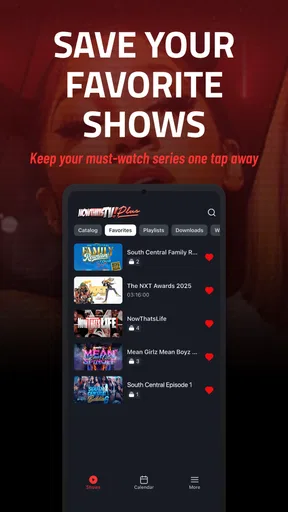
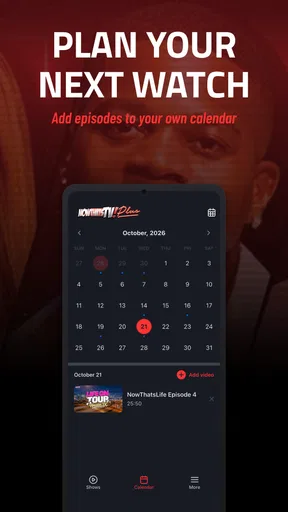
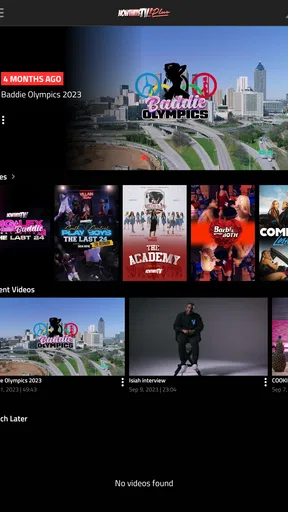
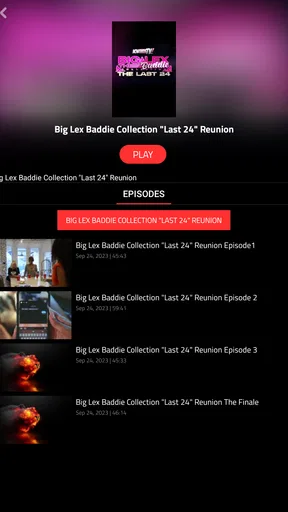
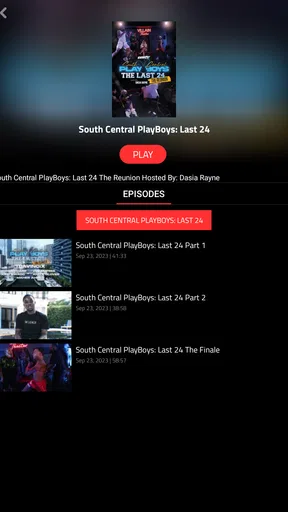
Our Review of Now Thats TV
 Analysis by Appyee
When I open Now Thats TV, the first thing I consider is whether I have a reliable connection and enough time to actually watch something. It is an entertainment app from Now Thats TV LLC, and its independent-network identity makes it a different kind of choice from a broad, familiar streaming catalogue. I’d treat it as a place to explore a particular flavor of programming, not as a guaranteed replacement for every service already on your phone.
Where the connection becomes part of the experience
Streaming is most comfortable when the network stays steady. A weak or fluctuating connection can turn a short break into a stop-start viewing session, so I’d avoid beginning a show right before heading into a tunnel, boarding a train, or entering a building where reception is unreliable. If I’m watching at home, I’d choose a spot with dependable Wi-Fi; away from home, I’d check that mobile reception is holding up before settling in.
That simple habit matters because the app’s appeal is in watching its entertainment, rather than treating it like a tool that works equally well in every setting. I would not plan a long flight or a commute around an assumption that a title will be available without a connection. For a trip, I’d have another offline-friendly activity ready rather than counting on uninterrupted streaming.
Better suited to a planned watch than a rushed scroll
In everyday use, I can see this fitting a relaxed evening: I have a little time, a stable connection, and I’m in the mood to browse beyond the biggest mainstream services. That is a better match than opening it for a two-minute gap while walking between appointments. A little browsing can be part of the fun, but it is worth choosing a moment when I can give a new show a fair try instead of judging it during a distracted glance.
Now Thats TV is free to install, but that does not mean every part of using it is free. In-app purchases range from $1.99 to $99.99 per item, so I’d check the price attached to anything I consider buying before confirming it. That is especially useful if I’m handing my phone to someone else or letting a teenager browse: a free download and a paid purchase are different decisions.
What to expect when a stream falters
If playback stutters, I’d first distinguish between a problem with the connection and a problem with the app itself. I’d pause, move to a stronger signal, or switch between Wi-Fi and mobile data if that is practical, then try again. If other online video services are struggling in the same place, the network is the likelier culprit; if they work normally, restarting the app is a sensible next step.
I also wouldn’t repeatedly tap play while the connection is unstable. That can make it harder to tell whether the stream is recovering or simply being restarted. For a show I really want to watch, I’d wait for a steadier moment instead of spending the whole break troubleshooting. These are ordinary streaming precautions, not special controls that I’d expect the app to provide.
Using mobile data with a little care
When I’m away from Wi-Fi, I’d be deliberate about how long I watch. Video can use mobile data quickly, and the amount depends on the stream and connection, so I’d keep an eye on my phone’s data usage rather than assume a brief session will have no effect. If I have a limited plan, saving longer viewing for Wi-Fi is the easier choice.
The app is rated for teens, and its audience may include younger viewers, so I’d also make purchases and viewing decisions together where appropriate. A parent can explain that the app is free to download while some individual items cost extra. That conversation is more useful than assuming the word “free” settles every question about spending.
What’s the Deal with Now Thats TV?
Alright, so Now Thats TV is essentially a streaming platform that’s trying to carve out its unique spot in the ever-so-crowded world of digital entertainment. What sets it apart? Well, it focuses on delivering content that’s a mix of reality shows, exclusive series, and indie films. If you're tired of the same-old-same-old from mainstream services, this could be a refreshing change.
Diving into the Features
First off, the interface is super user-friendly. You won’t need a manual to navigate through it. The layout is intuitive, with everything neatly categorized, so finding what you want to watch is a breeze. The search function works like a charm, and the recommendations are surprisingly spot-on, adapting to your viewing habits over time.
One of the coolest features is the download option. You can save your favorite shows or movies for offline viewing, which is a lifesaver for those long commutes or flights. The video quality is pretty solid too, with options to adjust depending on your internet speed.
Content Galore
Now, onto the content itself. The app boasts a diverse library that’s constantly being updated. Whether you’re into reality TV drama, gripping documentaries, or quirky indie films, there’s something for everyone. The original series are particularly worth checking out, with some hidden gems that you won't find anywhere else.
However, it’s not all roses. While the content is diverse, it may not compete with the volume of offerings from bigger platforms. But, if you’re open to discovering new and unique shows, Now Thats TV delivers some real treats.
Choosing it alongside familiar streaming services
I would compare this app with large, general-purpose services by asking what I want to watch tonight. If I need a huge catalogue spanning many genres, a mainstream platform may be the more dependable one-stop option. If I’m specifically curious about the independent-network selection here, this app is a more focused complement. I wouldn’t subscribe to or buy anything on the assumption that “more content” automatically means “more value”; the better question is whether its particular programming suits my habits.
For someone who watches the same few popular series and rarely explores, the focused offering may not earn a regular place on the home screen. For a viewer who likes sampling reality programming and less familiar titles, browsing can be part of the appeal. One practical approach is to open the app with a specific mood in mind—something light, a series to follow, or a film for the evening—then decide whether the available choices feel worth the time and any purchase involved.
Making browsing work for you
When I’m choosing what to watch, I’d use search when I already have a title in mind and browse when I’m open to discovery. Those are different jobs: searching is about locating something specific, while browsing is about deciding whether the app has something that fits the moment. I’d also avoid treating a recommendation as a promise that every suggestion will suit me; it can help surface possibilities, but my own interest is the better test.
A useful low-pressure routine is to sample the app when I have enough time to watch a little, rather than browsing endlessly and leaving without choosing. If a title catches my attention, I can check whether it is included or carries an individual cost before settling in. That small pause makes the free-to-install model easier to understand and helps prevent an impulse purchase from being mistaken for a subscription or an included title.
Who will get the most from it
I think the best fit is someone who enjoys exploring an independent entertainment selection and is comfortable making a deliberate choice about what to watch. It can also suit a household that wants another source of viewing alongside its main streaming service, especially if different people have different tastes. The app’s Teen content rating is a helpful signal for families, though I would still make viewing choices based on the individual title and the preferences of the person using it.
I’d be less likely to recommend it to someone who expects a single app to cover every genre, wants a very large all-purpose catalogue, or needs entertainment that is certain to work without a connection. It is also not ideal for a viewer who is particularly sensitive to mobile-data use and has no easy access to Wi-Fi. In those cases, a service or activity designed around offline access, or a broader catalogue the person already pays for, may be a more practical fit.
Subscription and Pricing
Let’s talk about the moolah. The pricing model is straightforward and affordable. You can opt for a monthly or yearly subscription, and there’s even a free trial if you want to test the waters before committing. No hidden fees, just a simple, transparent pricing plan.
What’s neat is that they often run promotions, so keep an eye out for those sweet deals to save a few bucks.
The app itself is free, and it has an average rating of 3.7 from around 2.5 thousand ratings, with over 500 thousand installs. It is intended for teens and runs on Android 7.1 or later. I’d read those figures as useful context rather than a verdict: what matters more is whether its entertainment suits me and whether I’m happy with the way purchases are presented.
My Final Thoughts
So, is Now Thats TV worth your time? If you enjoy discovering new content and stepping outside the mainstream bubble, then absolutely. It’s a charming little app that offers something different from the usual suspects. Sure, it may not have the massive library of a Netflix or Amazon, but its unique offerings and user-friendly interface make it a worthwhile addition to your streaming arsenal.
Give it a whirl, especially if you’re keen on supporting indie creators and catching some exclusive series that are off the beaten path. Who knows, you might just find your next favorite show on Now Thats TV.
My connectivity verdict
For me, this is best treated as a connected viewing option to explore when I have a stable network and enough time to choose something properly. It can complement a larger service rather than replace one, and I’d keep mobile-data limits and possible item purchases in mind before pressing play or buy. If that kind of flexible, intentional use suits you, it is worth a look; if you need dependable offline entertainment or one enormous catalogue, I’d choose another option for that particular job.
Verdict
Strengths of Now Thats TV
- User-friendly interface for easy navigation.
- High-quality streaming for a great viewing experience.
- Wide variety of exclusive content available.
- Offline viewing for convenience on-the-go.
- Affordable subscription plans.
Limitations of Now Thats TV
- Limited content availability in some regions.
- Occasional buffering issues on slower networks.
- No option for multiple user profiles.
- Lacks parental controls for child safety.
- Ads are present even for subscribers.
Similar Picks in This Category
View All
Google Play Games
Google LLC3.9

Netflix
Netflix, Inc.4.8

YouTube Kids
Google LLC4.2

Disney+
Disney4.4

Prime Video
Amazon Mobile LLC4.7

Steam
Valve Corporation3.2
Frequently Asked Questions
What is Now Thats TV, and what content does it offer?
Now Thats TV is a streaming platform that offers a variety of entertainment content, including TV shows, movies, and exclusive web series. The app focuses on providing diverse and engaging content across genres, making it a suitable choice for viewers looking for fresh and unique programming. It's available on both Android and iOS devices.
Is there a subscription fee for using Now Thats TV?
Yes, Now Thats TV operates on a subscription model. Users need to subscribe to access the full range of content available on the platform. The subscription fee is competitive, and there might be different tiers available, each offering various levels of access and features, such as ad-free viewing or exclusive content.
Can I download content for offline viewing on Now Thats TV?
Currently, Now Thats TV does not offer the option to download content for offline viewing. Users need a stable internet connection to stream shows and movies. This might be a consideration for those who travel frequently or have limited access to Wi-Fi or mobile data.
What devices are compatible with Now Thats TV?
Now Thats TV is compatible with a wide range of devices. It can be accessed via its app on both Android and iOS smartphones and tablets. Additionally, users can stream content on their computers through a web browser. Compatibility with smart TVs and streaming devices like Roku or Chromecast may also be available.
How user-friendly is the Now Thats TV interface?
The Now Thats TV app boasts a user-friendly interface, designed to ensure a seamless viewing experience. Navigating through the app is straightforward, with well-organized categories and an intuitive search function. Whether you're tech-savvy or a casual user, finding and streaming your favorite content is made easy within the app.
